


Newegg - Tech Shopping Online
4.730.77K Reviews
App Specs
- Version
- 7.3.1
- Updated On
- License
- Free
- Downloads
- 5,000,000+
- Developer
- Newegg Inc.
- Categories
- Shopping
- Platform
- Android, iOS
Screenshots
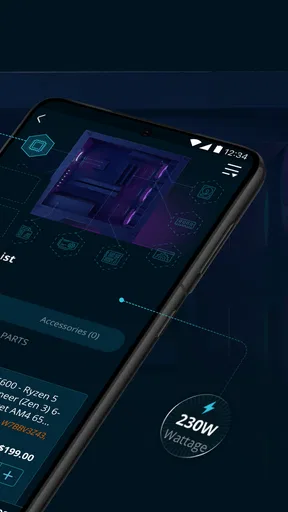
 Analysis by AppCompare
When I need to buy a laptop component, a monitor, storage, or another piece of tech, I usually start with a very specific problem: I know roughly what I want, but I still need to compare specifications, sellers, delivery details, and the total cost before committing. That is where Newegg - Tech Shopping Online fits best. It is a free shopping app from Newegg Inc. focused on electronics and computer hardware, rather than a general marketplace where technology is just one department among many.
My first impression is that the app makes the most sense for a planned purchase. I would not open it simply to browse random bargains for five minutes, because the amount of technical information can be more useful when I already have a goal. If I am replacing an SSD, choosing a graphics card, building a desktop, or checking whether a particular accessory is worth buying, the app gives me a more relevant starting point than a broad shopping service.
The app is rated 4.7 on average from around 100 thousand ratings, and it has passed 5 million installs. Those figures suggest that it has become a familiar tool for people who regularly shop for technology. It is free, rated for Everyone, and the current version is 7.3.1. Newegg has been available since December 24, 2010, so this is not a new shopping experiment trying to establish its identity.
From a vague upgrade idea to a focused shopping list
I start this section with the problem I’m trying to solve, not a product name: for example, whether I need more storage, a quieter component, or a screen that suits my desk. Turning that hunch into a short list of requirements helps me use Newegg’s tech-focused catalog with purpose instead of getting pulled toward every tempting deal. Next, I look at how that focused approach holds up when a shopping session gets more demanding.
Starting with the actual need
The most useful way to begin is by translating a vague intention into requirements. “I need a faster computer” is too broad. “I need more storage for a desktop, prefer a certain connection type, want a particular capacity, and need it to fit my budget” is much easier to work with. I found that this preparation matters because technology listings often contain several similar products whose differences are easy to miss when browsing casually.
For a first-time buyer, the app can feel denser than a normal retail app. Product names may include model codes, capacity labels, chipset references, refresh rates, memory standards, and other details. That density is a strength when I am comparing compatible parts, but it can also make the first search feel intimidating. I recommend writing down the specifications that are non-negotiable before opening the search results.
This approach also prevents a common mistake: choosing the most attractive headline specification while overlooking compatibility. A large monitor may still be unsuitable if its connection options do not match the computer. A storage drive may have the capacity I want but use the wrong interface. A laptop accessory may look inexpensive but fail to fit the exact model. The app helps me compare candidates, but it cannot decide compatibility for me.
Worth Reading Before You Choose

EA SPORTS FC Mobile 26 Is a Bigger Football Game, but It Takes Time

Flipboard Shows What News Apps Must Do Beyond the Feed

Switching to Android Auto Means Rethinking Your Driving Routine

Google Calendar Makes a Crowded Week Easier to Manage

Ludo King Makes the Most of the Minutes Between Plans

Baby Panda World Brings Quick Play to Modern Phones, but Its Game Library Feels Busy
Searching without getting lost in similar products
Once I have a target, I use the search and category structure to narrow the field instead of scrolling through everything. The practical advantage of a specialist retailer is that technology products are grouped in a way that reflects how people actually shop for them. I can move from a broad component type toward a more precise product family, then inspect individual listings.
I pay attention to the complete listing rather than only the first line. Product images are useful for identifying ports, dimensions, and included accessories, but they should not replace the written specifications. I also check whether the title describes a single item, a bundle, or a particular configuration. Similar names can hide meaningful differences, especially with memory, storage, monitors, and prebuilt computers.
A useful workflow is to keep two or three candidates open in my mental shortlist and compare them on the same points: compatibility, capacity or performance, included items, seller information, delivery expectations, and final cost. This is more reliable than comparing one product’s strongest feature with another product’s lowest price.
The trade-off between deals and the right product
Newegg presents itself as a place for deals, and discounts can be appealing when I am already shopping for a known item. The important distinction is that a lower price is not automatically a better purchase. A deal on the wrong connector, insufficient capacity, or an older specification does not solve the original problem.
I treat promotional pricing as a reason to investigate a listing, not as a reason to skip the investigation. I check the model identity and specifications first, then compare the total cost with other suitable options. This is one of the app’s less obvious lessons: specialized shopping rewards careful filtering more than impulse browsing.
Reading reviews as evidence, not as a final verdict
Reviews are especially valuable for technology because they can reveal practical issues that a specification sheet cannot. I look for repeated comments about installation, heat, noise, packaging, display quality, software behavior, or whether the product works as expected in a similar setup. A single angry review is not enough to reject an item, but a recurring problem deserves attention.
I also separate product feedback from purchase experience. A complaint about shipping is not the same as a complaint about the hardware itself. When I am comparing products, I want to know whether the issue concerns the item, the seller, the packaging, or the delivery process. That distinction helps me avoid dismissing a good product because of an unrelated complaint, while still taking fulfillment concerns seriously.
Moving from selection to checkout
After choosing a product, I review the cart as though I were checking a packing list. I confirm the exact model, quantity, configuration, and any related accessory that I intentionally added. This is particularly important for computer parts, where a small difference in a model name can affect compatibility or performance.
The handoff from browsing to checkout is where my attention changes. While browsing, I am asking whether a product is suitable. At checkout, I am asking whether this exact order is correct. I recheck the total, delivery information, and the details shown for the item before placing the order. A smooth shopping interface is helpful, but it should not encourage me to rush through that final inspection.
Understanding the marketplace handoff
One detail I consider carefully is who is responsible for the listing and fulfillment. A technology marketplace can contain products from different sellers, so the product page deserves more than a glance at the main title. Seller information, shipping details, return conditions, and the wording around fulfillment can affect the overall experience.
This is an important difference from buying directly from a manufacturer. A manufacturer’s store may offer a simpler chain of responsibility for its own products, while Newegg can be more useful for comparing brands and finding a wider selection in one place. The trade-off is that I need to inspect the seller and order terms with more care.
That handoff also matters after payment. If something goes wrong, I may need to distinguish between a product problem and an order or seller problem. Keeping the order details and product information together makes it easier to explain the issue. I would not assume that every listing offers the same experience simply because it appears inside the same app.
A realistic everyday scenario
Imagine that my desktop is running out of space and I want to add storage. I would begin by checking what type of drive the computer supports, how much room is available, and whether I need a particular size or connection. In the app, I would search for the relevant drive category, narrow the results by the requirements I already know, and compare a small group of models.
Next, I would inspect the specifications and user feedback for installation concerns. I would look for comments from people using a similar type of computer, rather than assuming that every drive behaves identically in every system. Then I would check the seller, delivery information, and complete order total. If an accessory is required for installation, I would add it deliberately instead of discovering the need after the main order arrives.
The outcome is not simply “I found a cheap drive.” The useful outcome is that I have a drive that matches the computer, fits the intended workload, and arrives through an order I understand. This is the kind of workflow where the app earns its place: it brings product discovery, technical comparison, and purchase preparation into one shopping path.
Where the flow breaks down
The app is less comfortable when I want a very simple purchase with no technical decisions. If I already know the exact item and the only priority is the fastest possible checkout, a general retailer or the manufacturer’s own app may feel more direct. Newegg’s specialist focus is valuable, but that focus also means I may encounter more specifications and more decisions than I want for a basic cable or familiar accessory.
It is also not the right choice for someone who does not want to verify compatibility. The app can expose the information needed to make a careful decision, but it does not remove the responsibility of matching a component to a particular computer or setup. A local store with staff assistance may be better when I need immediate advice, hands-on inspection, or same-day pickup.
Another point of friction is marketplace complexity. Comparing several sellers can create more choice, but it can also make the purchase feel less uniform. I would be cautious about choosing solely by the lowest displayed price, especially when delivery, seller reputation, or return handling could change the practical value of the order.
How it compares with the usual alternatives
Compared with a manufacturer’s shopping app, Newegg is more useful when I want to compare products from multiple technology brands in one place. A manufacturer’s store can be preferable when I have already chosen a brand, need official accessories, or want the most direct support path for that company’s products.
Compared with a broad marketplace, Newegg feels more focused on the details that matter in PC hardware and electronics. That focus can make research more efficient for an informed buyer. The broad marketplace may still win for everyday household goods, familiar brands, or a purchase where convenience and delivery speed matter more than technical comparison.
Compared with a physical electronics store, the app gives me more time to compare models and read feedback without standing in an aisle. The physical store has the opposite advantage: I may be able to ask questions immediately, inspect an item, or resolve a basic uncertainty through conversation. My choice depends on whether the purchase needs research or reassurance.
Small habits that make the app more useful
I would use a short checklist before ordering: exact model, compatibility, included accessories, seller, delivery details, and final total. This sounds basic, but it prevents the most expensive kind of mistake: buying a technically impressive item that cannot be used in the intended setup.
I would also search by the problem and then refine by the specification, rather than searching only by a broad marketing term. For example, a need for additional storage should lead me toward the appropriate drive type and capacity, not merely toward the most popular storage products. This keeps the app’s large selection from becoming a distraction.
Finally, I would save the product details I may need later, especially for parts that have to match an existing system. A model number is more useful than a vague memory of how the product looked. If I later need to replace, expand, or troubleshoot the setup, that precise information makes the next purchase easier.
Who should use it and who should skip it
I recommend Newegg to PC builders, upgrade-minded shoppers, students choosing equipment for a specific task, and anyone who enjoys comparing technical products before spending money. It is particularly suitable when I need several options in one technology-focused shopping environment and am willing to read the details behind the headline price.
I would be more cautious recommending it to someone who wants a completely guided purchase. If the difference between product standards, connectors, or configurations feels confusing, the app may provide information without providing enough personal reassurance. In that situation, a manufacturer’s support channel, a trusted local retailer, or advice from someone familiar with the hardware may be a better first step.
My final assessment after following the full workflow
Newegg - Tech Shopping Online works best as a research-led shopping companion. I like that it is built around technology rather than treating electronics as a small corner of a general store. The strongest experience comes from starting with a clear need, narrowing the options, checking the technical details, and treating seller and delivery information as part of the product decision.
It is not a magic shortcut around compatibility checks, and its marketplace structure means I still need to read carefully before ordering. Those limitations are important, but they do not cancel out the app’s main value. For a planned technology purchase, it can turn a scattered search into a more organized path from problem to suitable product.
My recommendation is simple: use it when you want choice and technical comparison, not when you want to buy without thinking. The free app, Everyone rating, and established presence make it easy to try, while its strongest benefits appear only when I use it deliberately. For the right shopper, the best result comes from treating the app as a decision tool, not just a place to chase the lowest price.
Pros
- Wide selection of PC parts
- electronics
- and accessories
- Detailed product specifications help with technical comparisons
- Frequent discounts
- bundles
- and promotional deals
- Marketplace offers products from many different sellers
- Order tracking and purchase history are easy to access
Cons
- Third-party seller quality and shipping times can vary
- Some listings may include confusingly similar product versions
- Return policies differ depending on the seller and item
- Popular components can sell out quickly during promotions
- App performance may feel slower when browsing large catalogs
FAQs for Newegg - Tech Shopping Online
What is Newegg - Tech Shopping Online used for?
Newegg is an online shopping app focused mainly on technology and electronics. From the app, you can browse and purchase laptops, desktop computers, PC components, graphics cards, monitors, phones, gaming accessories, networking equipment, software, and other related products. It also includes product specifications, customer reviews, seller information, deals, and order tracking, making it useful for both casual shoppers and PC enthusiasts.
Can I trust the products and sellers available through the Newegg app?
Newegg sells products directly, but the marketplace also includes third-party sellers. Before placing an order, it is important to check whether an item is sold and shipped by Newegg or by another merchant. Read the seller rating, product reviews, shipping details, warranty information, and return policy carefully. These details can vary, especially for marketplace listings, refurbished items, and open-box products.
Does the Newegg app offer useful deals for electronics and computer parts?
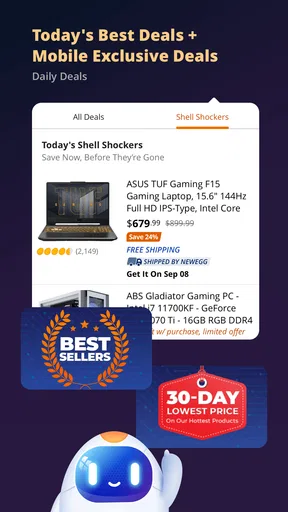
The app regularly features discounts, limited-time promotions, daily deals, bundle offers, clearance products, and special pricing on components and gaming equipment. Deal availability and eligibility may depend on location, inventory, membership status, or promotional dates. Prices can also change quickly in popular categories such as graphics cards, processors, laptops, and storage, so it is wise to compare specifications and total costs before buying.
How do shipping, returns, and order tracking work on Newegg?
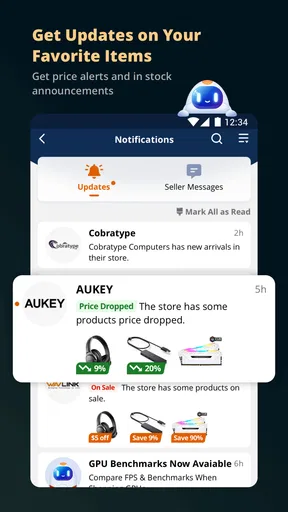
Newegg generally provides order status updates, estimated delivery dates, shipment tracking, and notifications through the app. However, shipping times, fees, return windows, and refund procedures may differ depending on the product, seller, destination, and whether the item is new, refurbished, or marketplace-listed. Review the applicable policy before checkout, particularly for expensive electronics, components, and products sold by independent merchants.
Is the Newegg app suitable for building or upgrading a gaming PC?
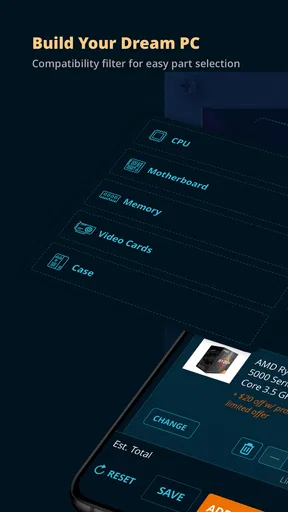
Yes, the app can be very useful for researching and purchasing PC-building components such as CPUs, motherboards, memory, graphics cards, power supplies, cases, cooling systems, and storage drives. It provides technical specifications and user feedback, but compatibility still needs to be checked independently. Confirm socket types, motherboard support, power requirements, physical dimensions, cooling clearance, and operating-system requirements before ordering parts.


